
Your club, your team, your week - in your pocket.
No more scrolling three group chats to work out whether training is on. ClubEzy gives every player and every parent the same clear view of what’s happening - with guardians able to see everything their child is part of.
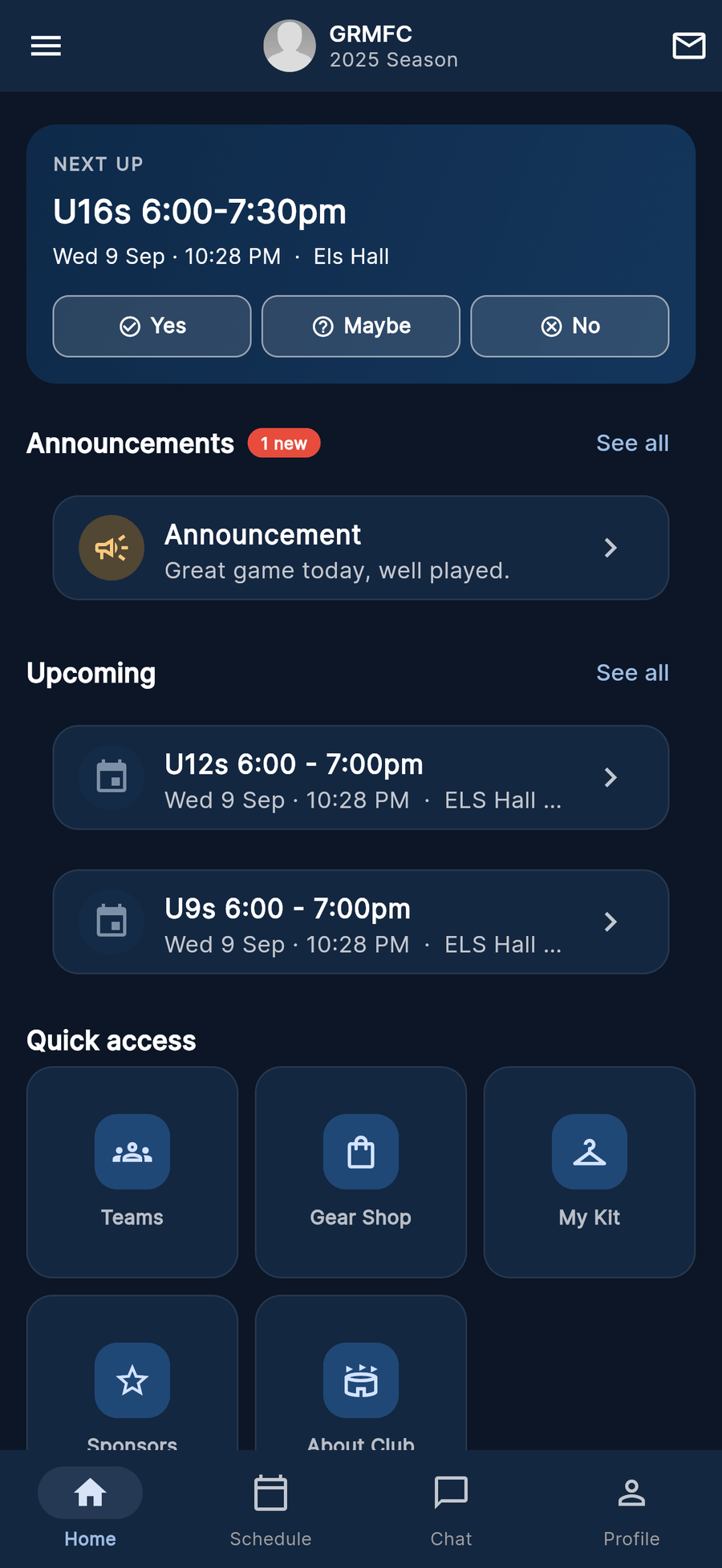
Everything for this week, on one screen
Open the app and the next thing your family has to be at is right there - with the time, the ground, and a button to say whether you are coming.
- This week’s schedule - training, games and club events in one list
- RSVP Yes, No or Maybe in a tap, with a reminder before it starts
- Tap the address and the ground opens in Google Maps
- Team chat and direct messages, with guardians able to see what their child is in
- Your own progress - assessments, match reports and stats over the season
- The club gear shop, with sizes, and club announcements you can comment on


Kids’ sport, with parents in the room
Junior sport runs on trust. ClubEzy is built so a guardian never has to take anyone’s word for what is being said to their child.
Guardians see everything
Link your child to your account and you can view anything they participate in - team chats and direct messages included. Not a summary of it. The actual thing.
Logins you control
Child accounts log in under guardian control. A younger member can also be a profile with no login at all, held by the club, and linked to a login later when they are ready.
Your details, your call
Per-field privacy controls let you hide a date of birth, an address or a phone number - so joining a club does not mean handing your details to everyone in it.
Chats that stay on the record
Team chats belong to the club, with proper roles and ownership. Messages can be edited or unsent, and closing a chat archives the transcript rather than vanishing it into someone’s phone.
Six things you will actually use
Schedule & RSVPs
What is on, where it is, and who is coming - with reminders by push and email so the 7am Saturday text is no longer a tradition.
Chat & announcements
Team chats created with the team, direct messages, and club announcements you can actually reply to.
Progress & match reports
Assessments against your club’s criteria, match reports with scores and goal scorers, and your season adding up over time.
Gear shop & kit
Browse the club shop, pick sizes, order several things at once and follow the order through to collected.
Club documents
Codes of conduct, training plans and club policies shared to the right teams - in one place, not four emails.
Families & privacy
Linked parent and child accounts, guardian oversight, per-field privacy, and the checks your club keeps on its coaches.
Questions families ask
Club not on ClubEzy yet? Send your committee the club admins page - it is free while we are in pilot.
How do we get started?
Your club invites you - a registration link, a QR code, or a sign-up at a trial day. You fill in the form once, the club approves it, and your season shows up in the app: schedule, team, chat and all.
Can I see my child’s messages?
Yes, and this is deliberate. Guardians can view anything a child account participates in, including team chats and direct messages. Child logins are guardian-controlled, so oversight is not something you have to ask a coach for.
Do I have to share my phone number and address?
No. Per-field privacy controls let you hide your date of birth, address and phone. Your club still holds what it needs for registration and emergencies - you decide what sits on your visible profile.
Two kids, two different clubs?
One login covers it. You can belong to more than one club and switch between clubs and seasons in a tap, with each child linked to your account.
Where do I get the app?
ClubEzy is on the App Store and Google Play, and it runs in a browser if you would rather not install anything. Everything is real-time, so a change made in the club’s portal is on your phone straight away.
Can we pay fees and gear orders in the app?
Not yet. Fees and gear orders are recorded in ClubEzy, but they are settled off-platform today - pay your club the way you do now. Online payments is on the roadmap.
Ready to deliver better performance?
Join the clubs running their season the easy way. Free while in pilot - no credit card, no lock-in, set up in minutes.