
Spend the week coaching, not chasing.
Nobody volunteered to coach so they could count heads in a group chat at 9pm. ClubEzy takes the scheduling, the reminders, the RSVPs and the record-keeping off your plate - and leaves you with the part you actually signed up for.
Before the session, and after the whistle
Two halves of a coaching week, both handled in the same app your players and their parents already have.
Run the week from the sideline
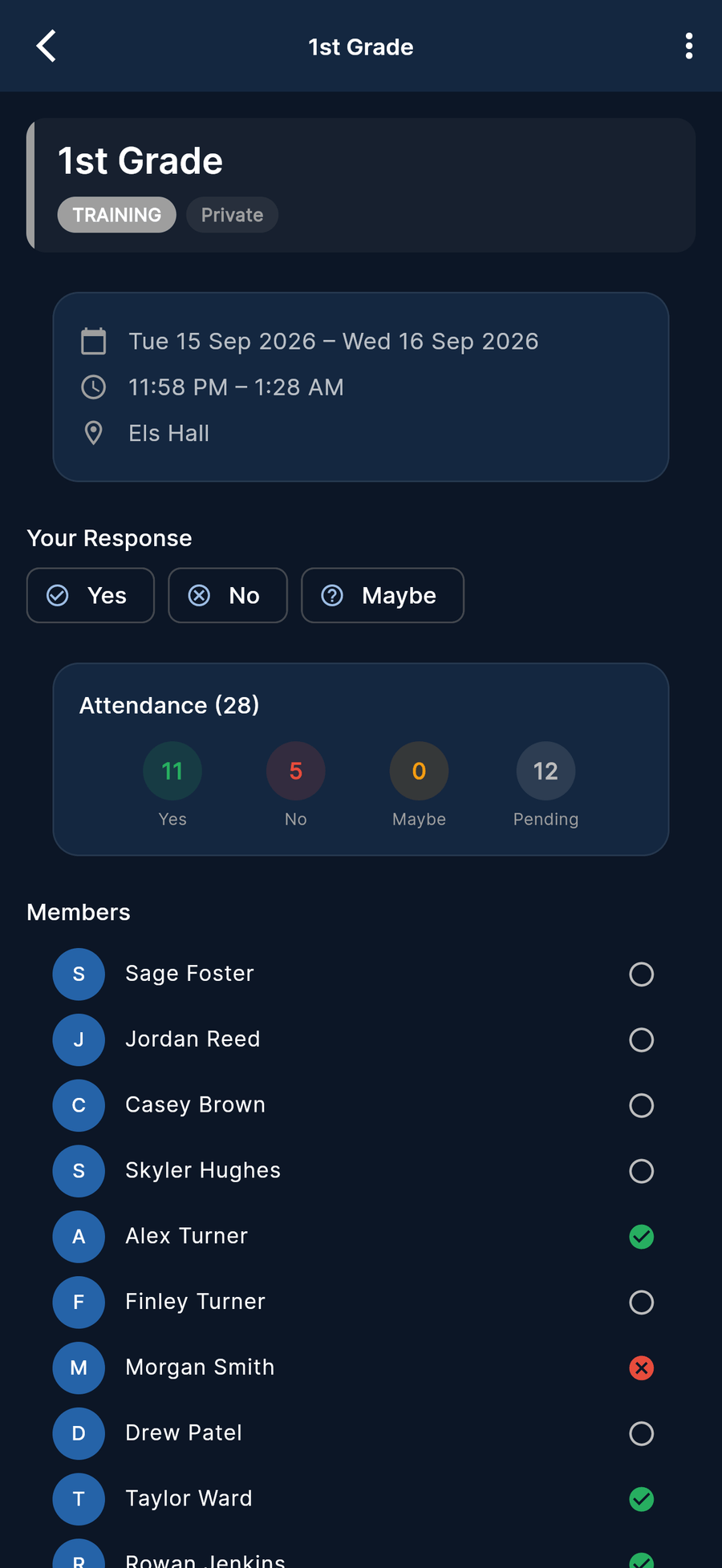
Coaches work from the same ClubEzy app families use: see who is coming, mark who actually arrived, message the squad, and keep the record moving while the session is still fresh.


Getting everyone to the right place
- Set training once as a recurring event - not thirteen calendar entries
- Give each event type its own colour and its own rules, so a trial never behaves like a training run
- Players and parents RSVP Yes, No or Maybe, and you see the numbers before you plan the session
- Event-start and attendance reminders go out on schedule by push and email
- The ground address opens straight into Google Maps for the away trip
Turning the weekend into a record
- Mark who actually turned up - with a reason against each absence
- File a match report with half-time and full-time scores, goal scorers and notable players
- Add observations alongside your assistant coach or manager - more than one voice per player
- Grade the squad against your club’s assessment template, with weighted criteria
- Send the wrap-up to the team chat that was created with the team
Three habits, and the season records itself
Set the pattern once
Create the season’s training as a recurring event, pick the event type, add the venue, and let the scheduled reminders do the nagging for you.
They RSVP, you mark the truth
RSVPs tell you who intends to come. Attendance marking records who did - with absence reasons, so a pattern shows up long before it becomes a conversation.
Write down what you saw
Match report, observation or assessment - the same week, while it is still fresh. It compounds into a real development record instead of a memory.
Development you can actually show
Four ways of writing down what you already notice - so it survives the season, the age group and the coaching handover.
Assessments
Grade against templates your club builds, with weighted criteria scored numerically, on a scale or in words - so every coach measures the same thing.
Match reports
Half-time and full-time scores, goal scorers and notable players, run through an approval workflow - then finalised and locked, or reopened if something needs fixing.
Observations
Multi-contributor notes on a player. The assistant, the manager and the coach can all add what they saw, instead of one person’s recollection.
Trials & selection
Per-team trial windows, outcomes recorded as Picked, Callback or Released and Squad or Train-On, with results aggregated for the selection conversation.
What else lands in your hands
Events & attendance
Recurring events, custom event types, RSVPs, coach marking with absence reasons, and reminders by push and email.
Team chat
A chat created with your team, direct messages, edit and unsend, unread counts, and guardians who can see what their child is in.
Player development
Assessment templates, match reports, observations, trial windows and the reporting that comes out the other side.
Team documents
Training plans, drills and policies shared to your team only - with view tracking, so you know who has opened them.
Gear & kit
Kit templates linked to your team, member size submission and allocation tracking - the jersey chase, written down.
What your admins see
The portal your committee runs the club from, including the attendance grid and the reporting built on your marking.
Before your first session
Do I need to sit at a laptop to run my team?
No. Coaches work from the app on iOS, Android or the web, and everything syncs in real time. The admin portal is where your committee does club-wide work and where the richest reporting lives - as a coach, you may never need to open it.
Can I set training up for the whole season at once?
Yes. Training goes in as a recurring event, with the event type carrying its own colour and rules. Scheduled event-start and attendance reminders go out by push and email without you sending a single reminder message.
What happens when someone does not turn up?
RSVPs and actual attendance are separate on purpose. You mark who came and record a reason against each absence, so the picture over a season is honest rather than anecdotal.
Who decides how players are assessed?
Your club does. Admins build the assessment templates and the weighted criteria, so coaches across teams grade against the same standard rather than inventing one each. Match reports go through an approval workflow before they are finalised.
Can I message parents without collecting phone numbers?
Yes. Team chats are created with the team, so you are never rebuilding a group chat in January. Guardians can view anything their child participates in, which keeps parent communication in a place the club can see.
Ready to deliver better performance?
Join the clubs running their season the easy way. Free while in pilot - no credit card, no lock-in, set up in minutes.